To understand how the chain of custody is maintained within the C2PA manifest, lets take a case -
Case here is: An image was generated using Nano Banana in Gemini, uploaded to Canva for editing and made a part of the larger artwork with additional text and icons. Image was downloaded from canva and uploaded to Linkedin as a social media post.
The C2PA manifest will look like:
Image generated using Nano Banana
Image provenance signed by Cobaltqube Media
Image uploaded to Canva platform
Image added to Canva workspace / canvas
Text and Icons added to the Image
Layout and design modifications done to the Image
Image provenance signed by Cobaltqube Media
Image File Exported
Image file uploaded to Linkedin
Important part of this manifest are the Ingredients in C2PA
Final Canva Artwork will have ingredient list such as:
Ingredients 1: Gemini / Nano Banana Generated Image
Ingredient 2: Canva Icon
Ingredient 3: User - generated Content
Ingredient 4: Other graphic elements
In C2PA standard, ingredients are all the components from various sources in a media file. Just like the ingredients in a food recipe. They track which part of the media file came from which source. This also helps to create a chain of custody.
Let’s understand what happens to the chain of custody and content credentials in our example:
When an image is generated using Gemini Nano Banana, C2PA manifest is attached to it. Canva maintains C2PA information of the images uploaded to its platform. It may modify the manifest, adding new information while preserving the original file signature.
The moment an image is added and modified in Canva, its original signature breaks and gets invalidated. Canva writes new provenance chain, appending its own information to the existing information of the image, generating new valid C2PA signature.
When this image file is uploaded into Linkedin, three things may happen -
First, Linkedin may preserve the content credentials passed onto it from the Canva edited image and display the content credentials. Second, it may strip all the content credentials breaking the chain of custody information. Third, It may add it’s own provenance information leading to multi party provenance chain. When Linkedin displays or when it strips the content credentials is a little ambiguous as of now, it from cases to cases, by a lot.
However, by experience we know that Linkedin almost always displays intact CR credentials when an AI image is directly uploaded without any editing in between.
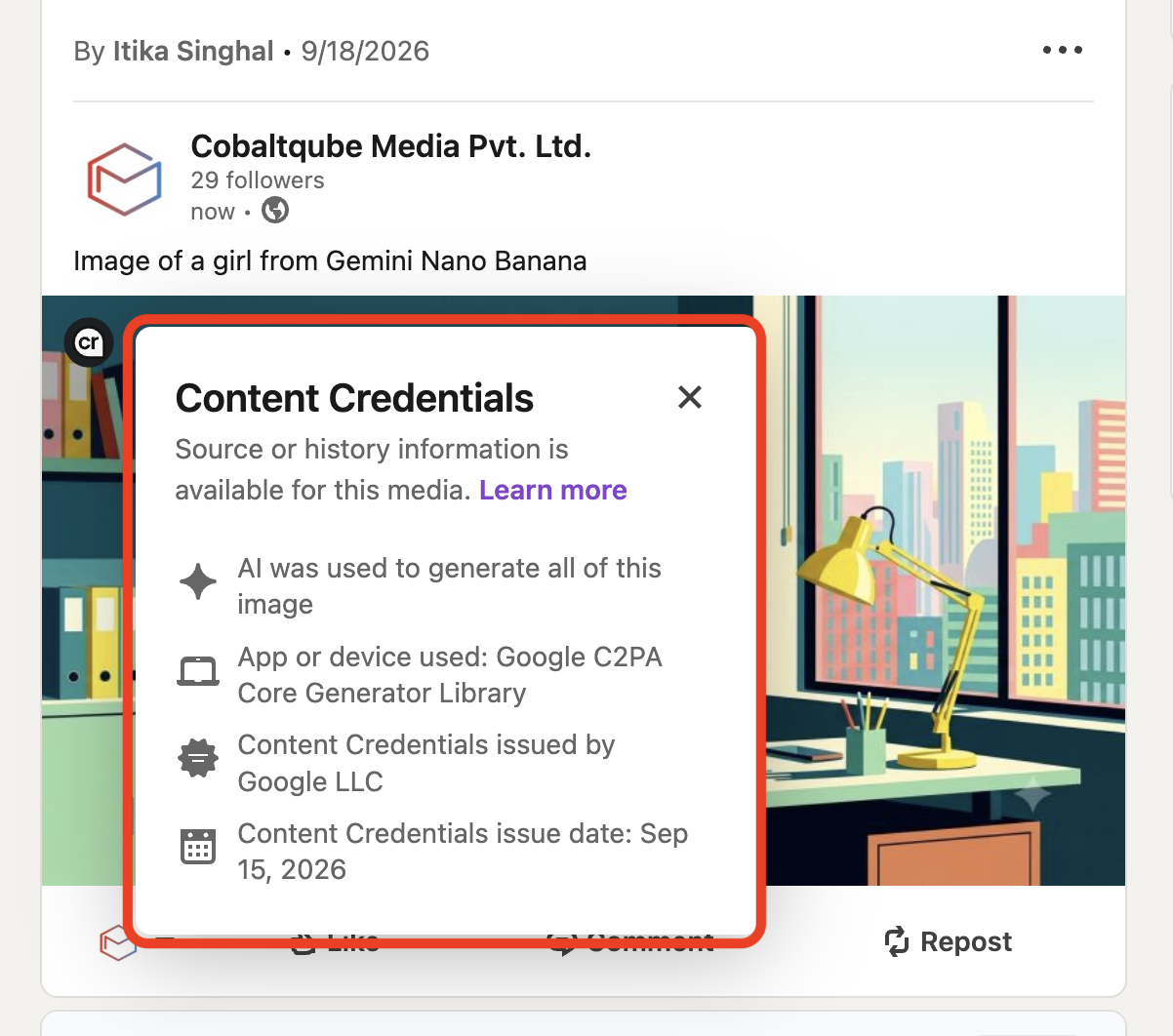
Image Showing Content Credentials on an AI generated Image Uploaded to Linkedin
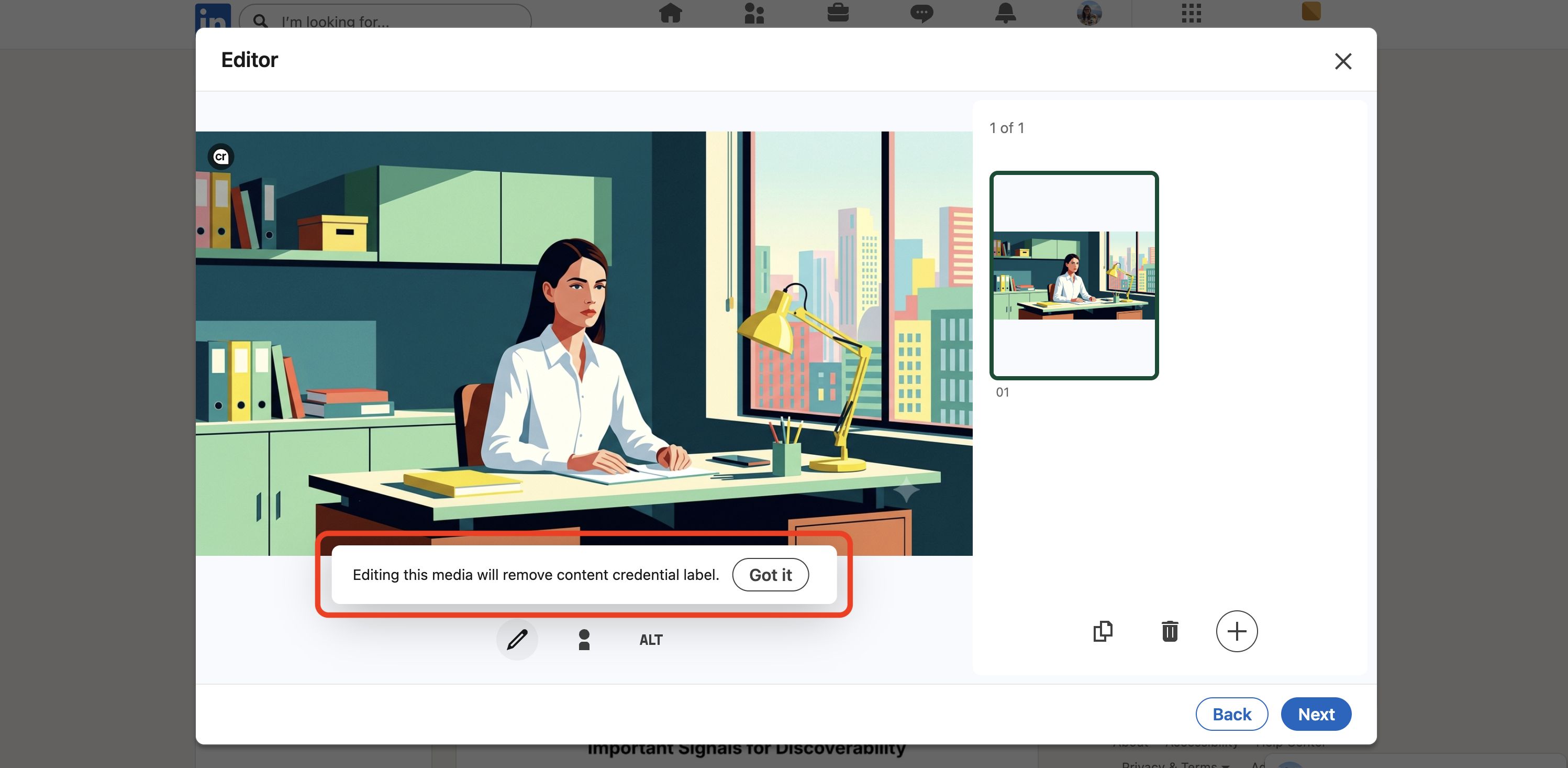
Image Showing a Linkedin Message "Editing this media will remove Content Credentials Label"
In our example above, when we speak about Content credentials from the point of view of provenance state, it can be AI-generated, AI-edited, Mixed-origin, human-originated, unknown, provenance removed.